Calculator Free Pro
An electronics calculator that reads your meter
Measure a voltage and a resistor, and the calculator returns the current. It takes engineering notation, has form-style presets, and fills inputs from your meter readings.
iOS and Android, beta this winter.
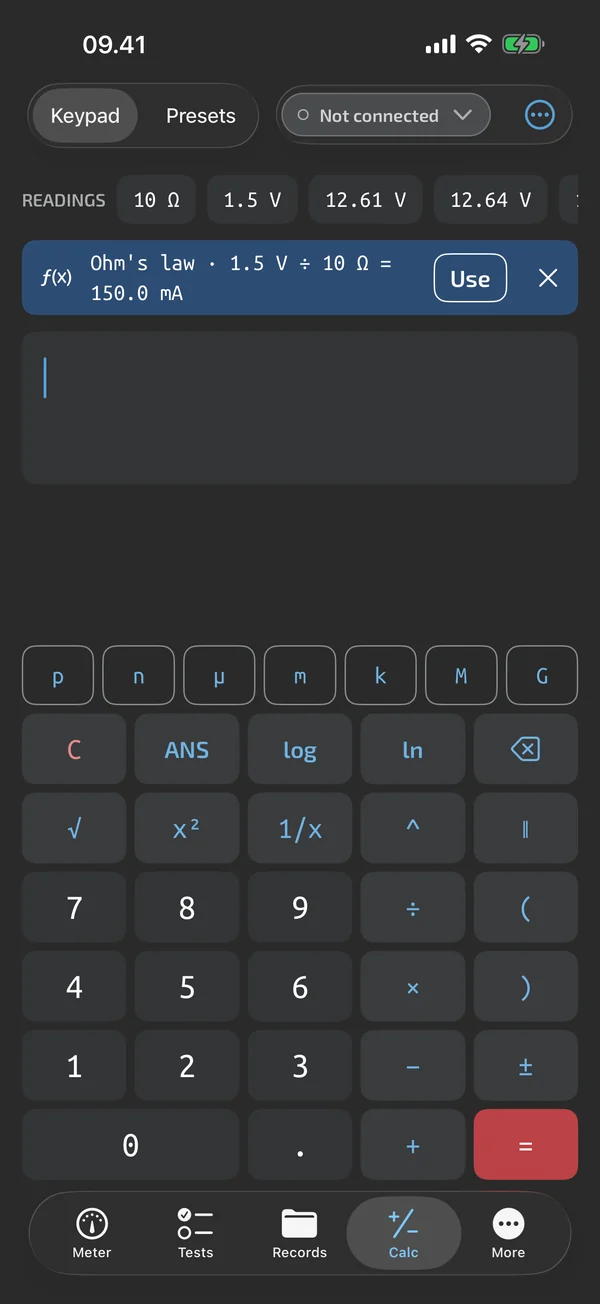
A calculator with a keypad for engineers
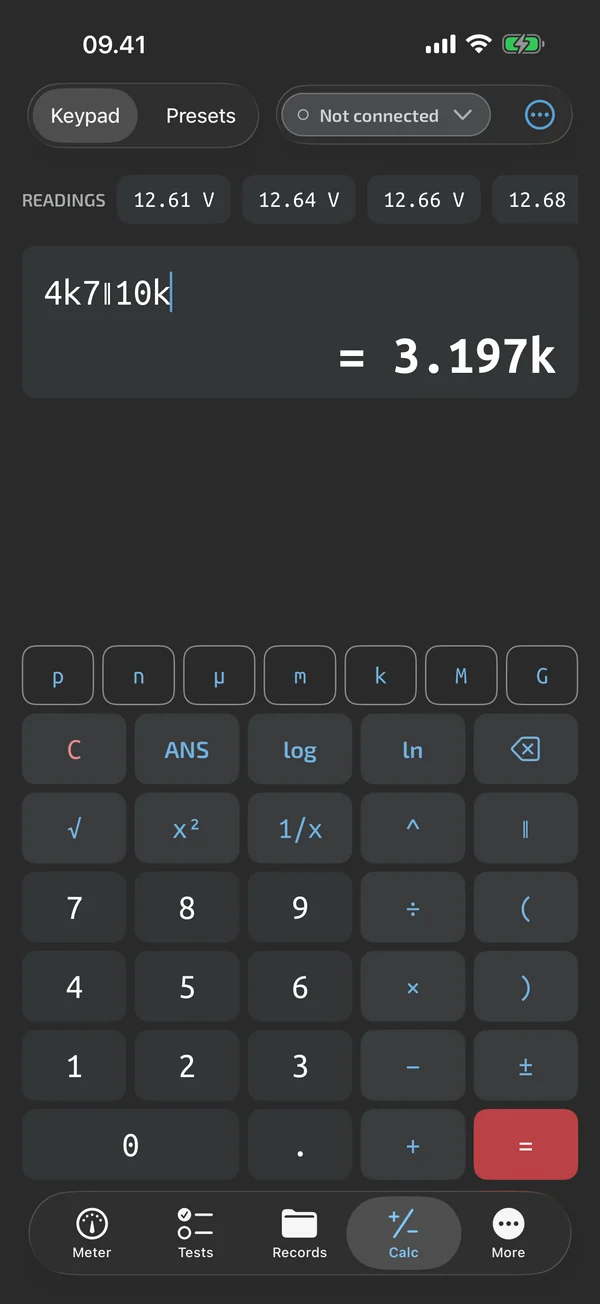
The Calc tab has an expression line and a keypad with SI prefix keys and a parallel operator. You can type 4.7k, 100n, 2M2 or 4k7. See EE calculator.
Presets for the usual jobs
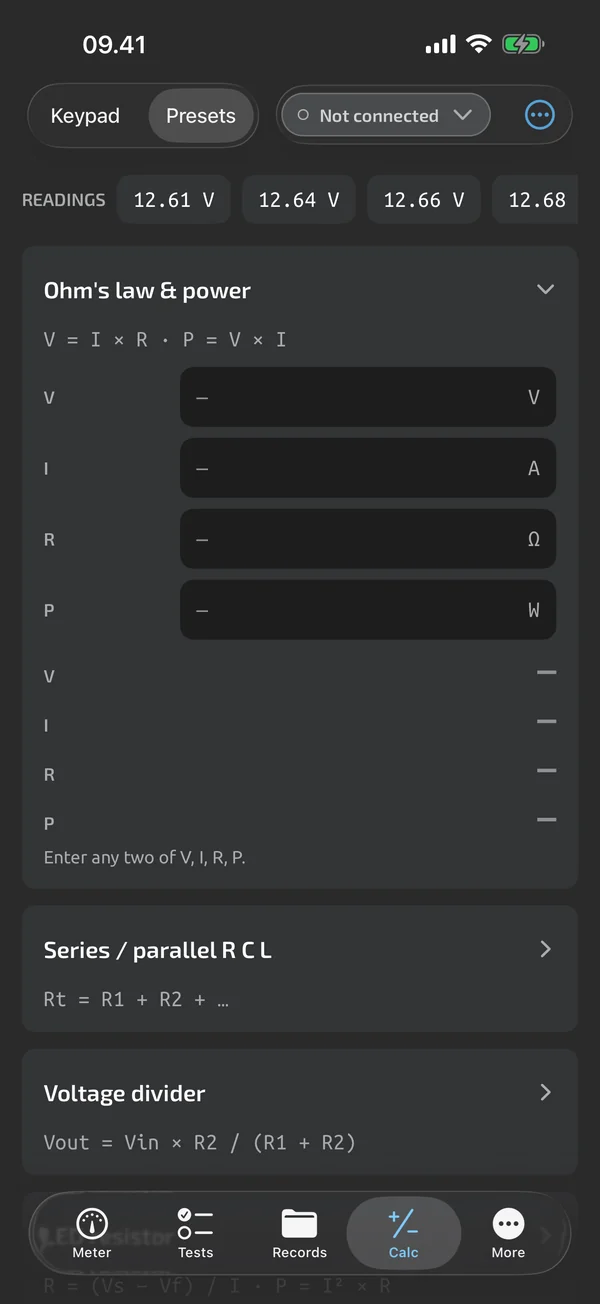
Ohm's law and power, series and parallel, voltage divider, LED series resistor, RC, dB, deviation and imbalance, and a unit converter. Each preset shows its formula and gives inline hints for missing or invalid inputs. See Preset formulas.
Cal Box: fill from your readings
A readings strip above the calculator shows the live reading and the last 6 captures. Tap a chip to put it into the focused input. When your last two captures are V and Ω, V and A, or A and Ω, a card suggests Ohm's law, for example 1.5 V ÷ 10 Ω = 150 mA. See Cal Box.
Your own formulas, in the app and in templates
Custom formulas, formulas inside test templates and a live panel under the readout are part of Pro Pro. See Custom formulas and Calcs in templates. Pro is an in-app upgrade, see Pricing.
In Calculator
EE calculator
A keypad with SI prefix keys and a parallel operator, engineering-notation input, auto-prefix results and a 50-entry history.
Preset formulas
Form-style solvers with labelled inputs and units for Ohm's law, dividers, LED resistors, RC, dB, deviation and conversions.
Cal Box
A readings strip with the live reading and last 6 captures, plus an Ohm's law suggestion after two matching captures.
Custom formulas
Named formulas with bound inputs, a personal library, and up to 3 live calculations under the readout.
Calcs in templates
Derived steps that compute from other steps, and summary calculations printed in the report.
What it does and doesn't do (yet)
| What it does | Plan |
|---|---|
| A calculator with SI prefix keys, engineering input such as 4k7 and a parallel operator. | Free |
| Presets for Ohm's law and power, series and parallel, dividers, LED resistors, RC, dB and unit conversion. | Free |
| Cal Box fills the calculator from your live reading and recent captures, and suggests Ohm's law. | Free |
| A safe expression evaluator behind the calculator, with no scripting engine. | Free |
| Save your own formulas with named inputs and use them in the Calc tab. | Pro |
| Formulas inside templates: derived steps and summary values, computed in the run. | Pro |
| A panel under the readout shows up to 3 formulas, recomputed on every reading. | Pro |
Pro is an in-app upgrade. See what is Free and what is Pro.
Not yet, or not planned
- Formulas reference the current run only; no cross-run analytics.
- Cal Box needs a live or captured reading, so it is in the apps, not on the web.
- Live derived values are in the apps, not on the web.
Questions
Is the calculator free?
The standalone calculator, the presets and Cal Box are Free. Custom formulas, formulas in templates and the live derived panel are Pro. See Pricing.
Does it work offline?
Yes. The calculator works fully offline.
Can it use a reading I captured earlier?
Yes. The readings strip shows the last 6 captures as chips, and tapping one inserts it into the focused input or the expression line.
Coming to iPhone and Android.
iOS and Android, beta this winter.


Questions or a meter to suggest? Mail support@testnmeasure.app.
No ad networks, no sign-up.