Logging
Log multimeter readings, by tap or by interval
Save the reading on screen with one tap, or record readings over time at an interval you choose. Add a note, photos and a voice note to any capture, then review the session as a graph and a list.
iOS and Android, beta this winter.
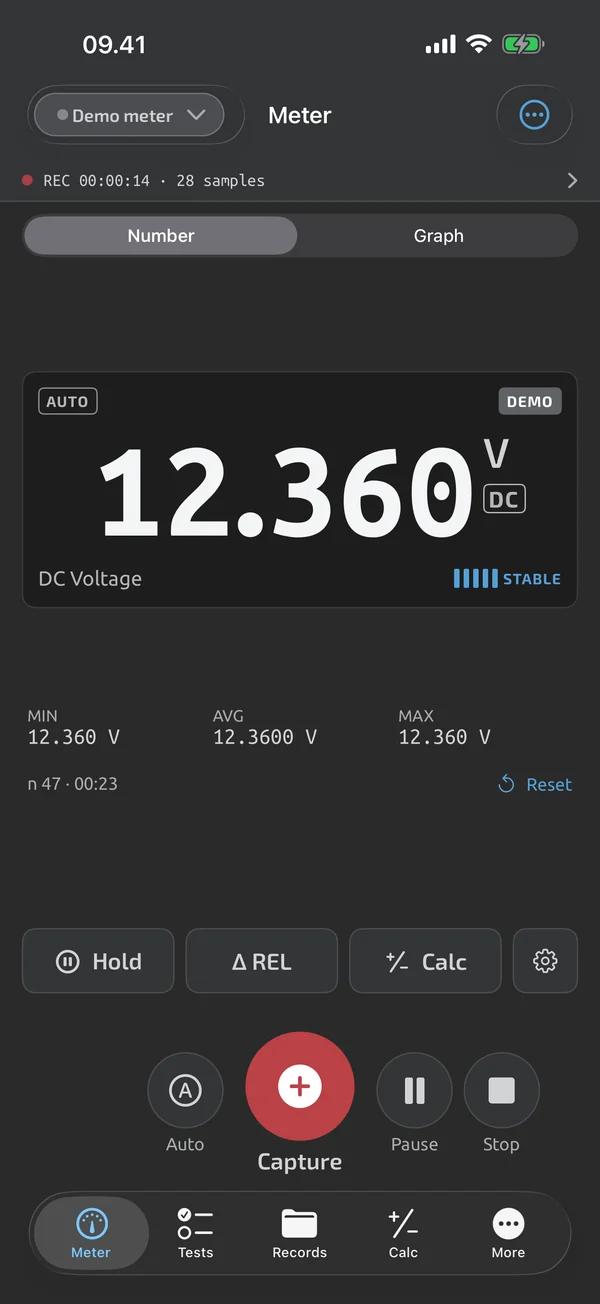
Capture with one tap
The Capture button saves the displayed reading with its timestamp, instrument, flags and any active REL or scaling adjustment. A toast with Undo stays for 5 s. If no session is open, captures go into an automatic session for the day. Details are on Quick capture.
Record over time
Choose an interval of every reading, 0.5 s, 1 s, 5 s, 10 s or 60 s, and press Record. Each tick stores the latest reading, not an average. Recording continues with the screen locked or the app in the background. A session holds up to 1,000,000 samples. See Time-series recording.
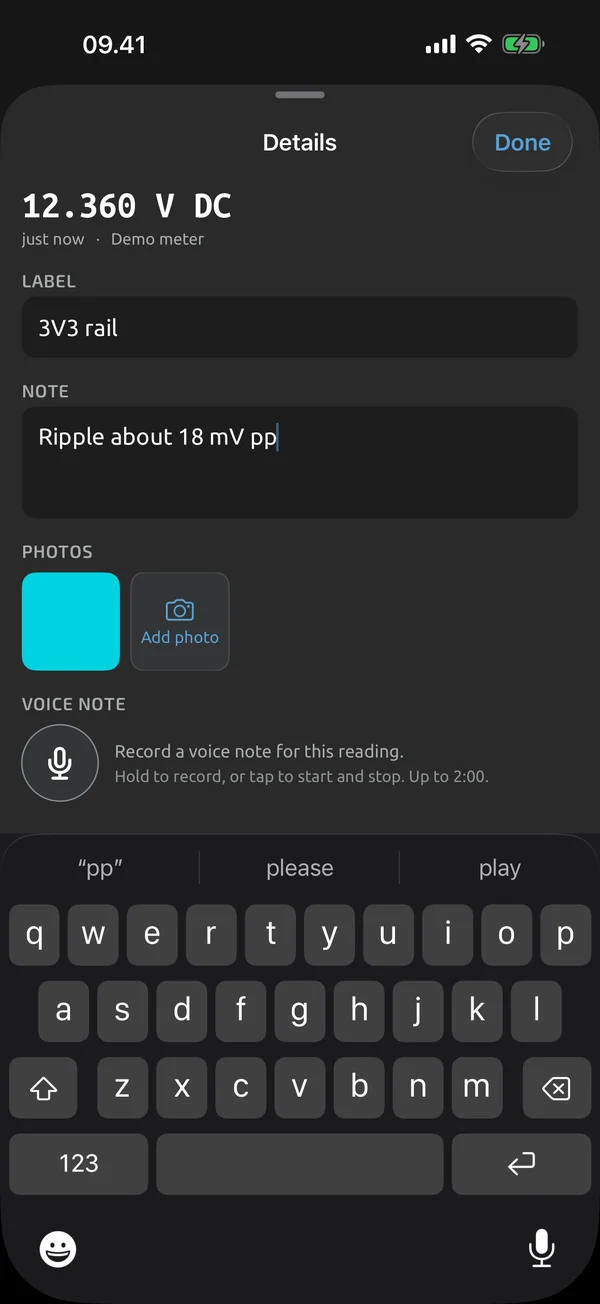
Notes, photos and voice
Each capture can carry a text note of up to 2,000 characters and a label of up to 80. You can add up to 5 photos and one voice note of up to 2 minutes.
Auto-record on stable
Switch on Auto next to Capture, and a capture fires when the reading becomes stable. It only fires while the screen is on and the app is in the foreground.
Review and find
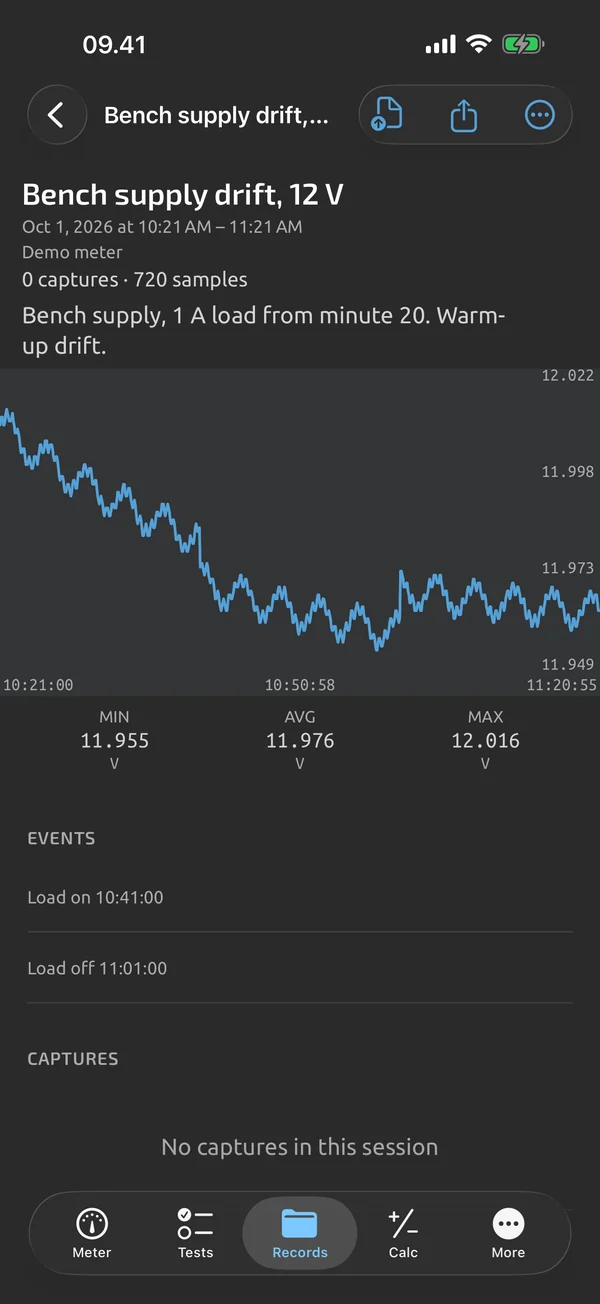
Every session opens as a graph with min, max and average over the visible range, the capture markers, and the list of captures with notes and thumbnails. The Records tab lists sessions newest first, with search over names, labels and notes. Deleted items stay in Recently deleted for 30 days. See History and review. To get the data out, see Reports and export.
In Logging
Quick capture
One tap saves the reading, with undo, then add a note, photos and a voice note.
Time-series recording
Record at an interval from every reading to 60 s, keep going with the screen locked, up to 1,000,000 samples.
History and review
Open any session as a graph with stats and captures, search your history, and restore deleted items.
What it does and doesn't do (yet)
| What it does | Plan |
|---|---|
| One tap saves the current reading, with an Undo. | Free |
| Log sessions hold captures and time-series recordings, and recording continues with the screen locked. | Free |
| Add a text note and a short label to any capture. | Free |
| Attach up to 5 photos to a capture. | Free |
| Record a voice note of up to 2 minutes on a capture. | Free |
| Scale readings with a factor and an offset, for clamp adapters, shunts and probe dividers; the raw reading is kept. | Free |
| Search and filter your history; deleted items stay in Recently deleted for 30 days. | Free |
| Review a session as a full graph with pan and zoom, statistics and its captures. | Free |
| Auto-record saves a capture when the reading becomes stable. | Free |
Not yet, or not planned
- No markers on time-series graphs yet.
- No voice-note transcription.
- Can't download the meter's own memory yet.
- Auto-record pauses while the screen is off or the app is in the background.
- One open recording per device; up to 1,000,000 samples per session.
Questions
Does recording continue with the screen locked?
Yes. Recording continues with the app in the background or the screen locked. Samples are written in 1-second batches, so a crash loses at most 1 s.
How many samples can one session hold?
Up to 1,000,000. At 500,000 a banner suggests stopping, and at the limit recording stops automatically with a notification.
Can I export to Excel?
CSV export is Free and works for any session. An Excel (.xlsx) log export is part of Pro. See Reports and export.
Can I log without a meter connected?
You can type readings in by hand; they are marked manual. The demo meter also works for trying capture and logging, and is labelled DEMO.
Coming to iPhone and Android.
iOS and Android, beta this winter.


Questions or a meter to suggest? Mail support@testnmeasure.app.
No ad networks, no sign-up.