Reports and export Free Pro
From probe to report: CSV, Excel and PDF
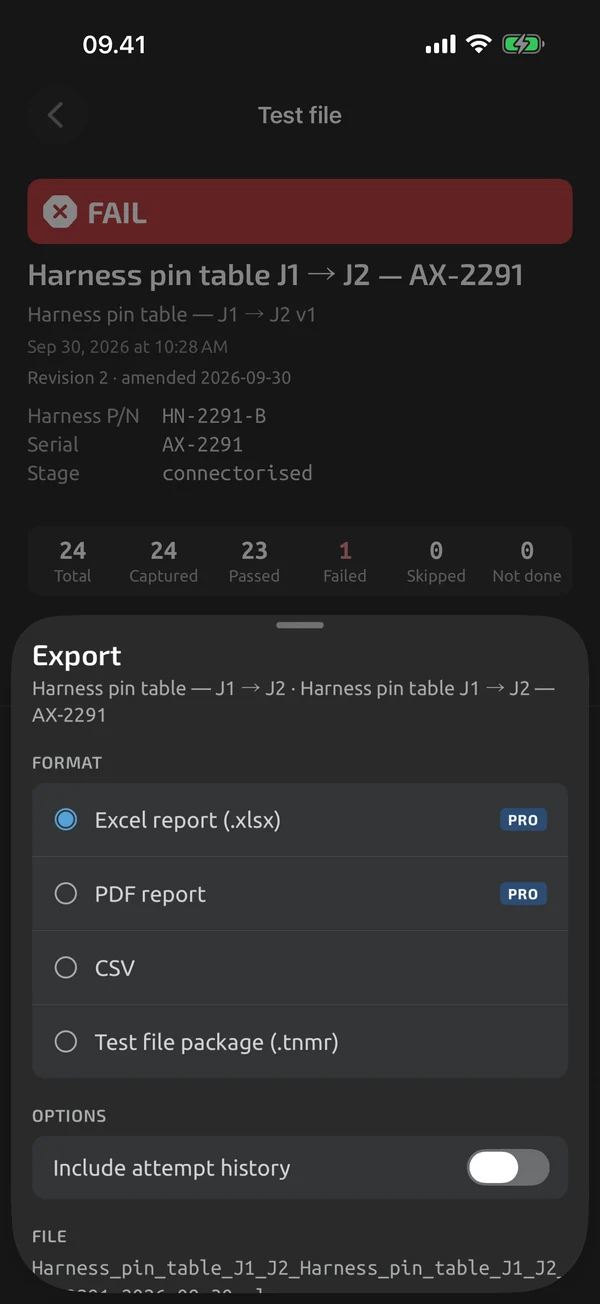
Every log session and every test file exports as CSV, free. Excel and PDF reports with your company header are part of Pro Pro. Pro is an in-app upgrade, see Pricing.
iOS and Android, beta this winter.
CSV, free for everything
CSV export works for log sessions and test files. It is UTF-8 with a BOM, so Excel shows Ω and µ. A semicolon option suits EU Excel, and a tab-delimited option is there too. See CSV export.
Excel workbooks
A test report workbook has real numeric cells and PASS and FAIL cells that carry both colour and text Pro. A log export has real timestamps and a Stats sheet. See Excel reports.
PDF test reports
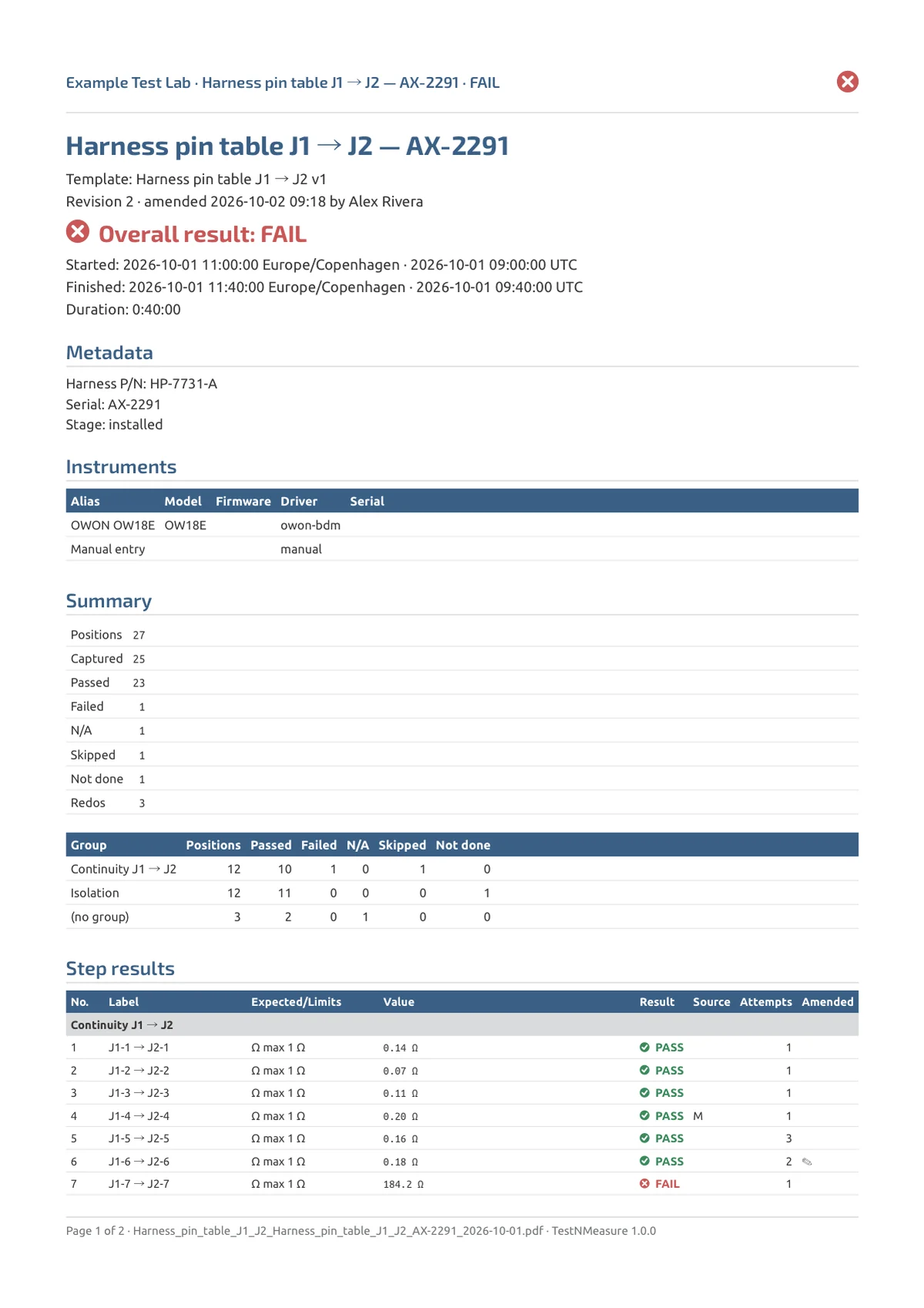
A PDF report for a test file has an overall result, a step table, notes and a photo appendix. Failed rows carry an icon and the word FAIL Pro. Your company name, technician and logo go in the header. See PDF reports.
In Reports and export
CSV export
Free CSV for log sessions and test files, with a BOM for Excel, a semicolon option and tab-delimited files.
Excel reports
xlsx test reports and log workbooks with numeric cells, PASS/FAIL cells with text, real timestamps and a Stats sheet.
PDF reports
A PDF for a finished test file with your company header, overall result, step table, photo appendix and clear FAIL rows.
What it does and doesn't do (yet)
| What it does | Plan |
|---|---|
| Export log sessions and test files as CSV, free. | Free |
| An Excel test report with real numeric cells and PASS and FAIL cells. | Pro |
| Export a log session to Excel with real timestamps and a statistics sheet. | Pro |
| A PDF test report with header, result, step table, notes, photos and a signature block. | Pro |
| Every export ends in the system share sheet, with clear file names. | Free |
| Share a complete test file, with its attachments, as a .tnmr package anyone can open without an account. | Free |
| Company name, technician and logo in the headers of Excel and PDF reports. | Pro |
Pro is an in-app upgrade. See what is Free and what is Pro.
Not yet, or not planned
- Report fingerprint and signed timestamp are coming.
- Drawn signature is coming; qualified e-signatures (DocuSign-type) are not planned for v1.
- No live push to Google Sheets or webhooks.
- No CMMS/ERP connectors.
Questions
Which formats are there?
CSV for log sessions and test files, free. Excel (.xlsx) for test reports and log sessions, and PDF for test reports, are Pro. A test file can also be shared as a .tnmr package, free.
Can I export without Pro?
Yes. CSV is free for everything, including test files. It stays available if Pro lapses.
Do reports work offline?
Excel files are generated on the device with no network.
Coming to iPhone and Android.
iOS and Android, beta this winter.


Questions or a meter to suggest? Mail support@testnmeasure.app.
No ad networks, no sign-up.