Reports and export
CSV export of everything, free
Every log session and every test file exports as CSV. It is free, and it stays free.
iOS and Android, beta this winter.
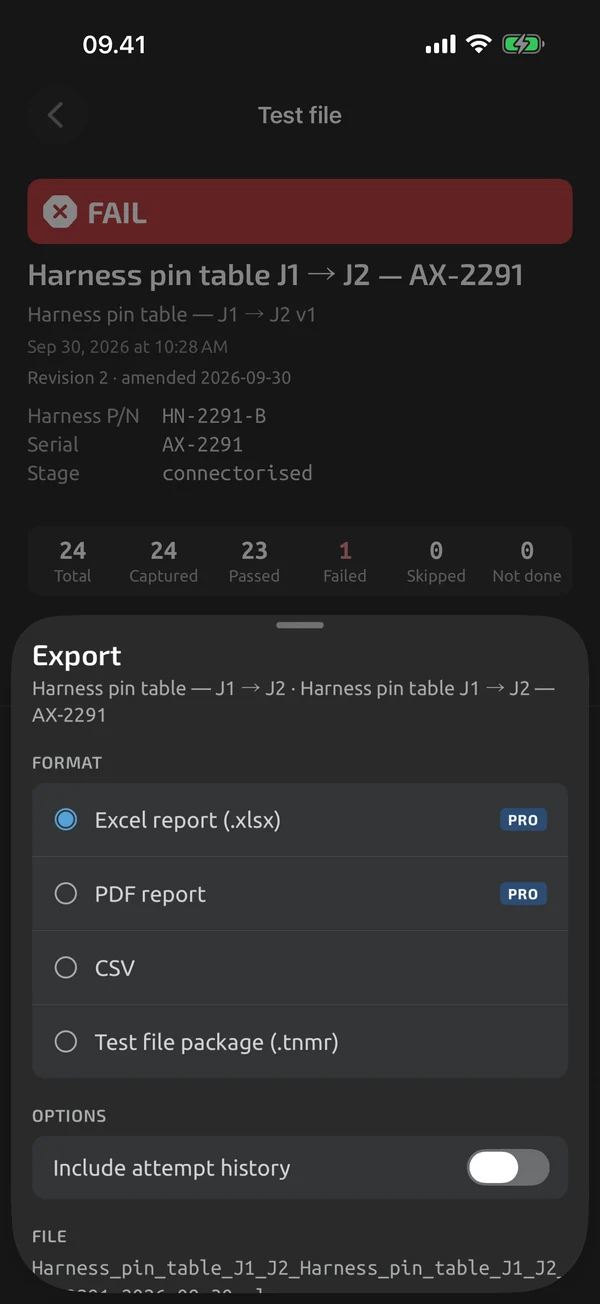
What you get
A log session exports one row per capture or sample. A test file exports one row per step or channel. Values are written exactly as stored, so 0.30 stays 0.30. OL and UL are written as text, OL and UL.
Opens right in Excel
The file is UTF-8 with a BOM, so Excel shows Ω and µ. By default the delimiter is a comma and the decimal separator a point.
Options in the export sheet
- Semicolon (EU Excel): semicolon delimiter with comma decimals
- Tab-delimited: a
.tsvfile - Include header block: metadata as leading
# key,valuelines, off by default
File name and sharing
The file name follows the session or template, a title and the start date, for example Connector_J3_AX-2291_2026-06-07. The export ends in the share sheet. For formatted output, see Excel reports.
What it does and doesn't do (yet)
| What it does | Plan |
|---|---|
| Export log sessions and test files as CSV, free. | Free |
| Every export ends in the system share sheet, with clear file names. | Free |
Not yet, or not planned
- No CMMS/ERP connectors.
Questions
Will Excel show Ω and µ?
Yes. The CSV is UTF-8 with a BOM, so Excel shows Ω and µ.
Semicolon CSV for EU Excel?
Yes. Choose Semicolon (EU Excel) in the export sheet: the delimiter is a semicolon and the decimals are commas.
Is CSV still available if Pro lapses?
Yes. CSV export is free for everything, including test files, and keeps working if Pro lapses.
Coming to iPhone and Android.
iOS and Android, beta this winter.


Questions or a meter to suggest? Mail support@testnmeasure.app.
No ad networks, no sign-up.