Reports and export Pro
Excel reports with real numbers
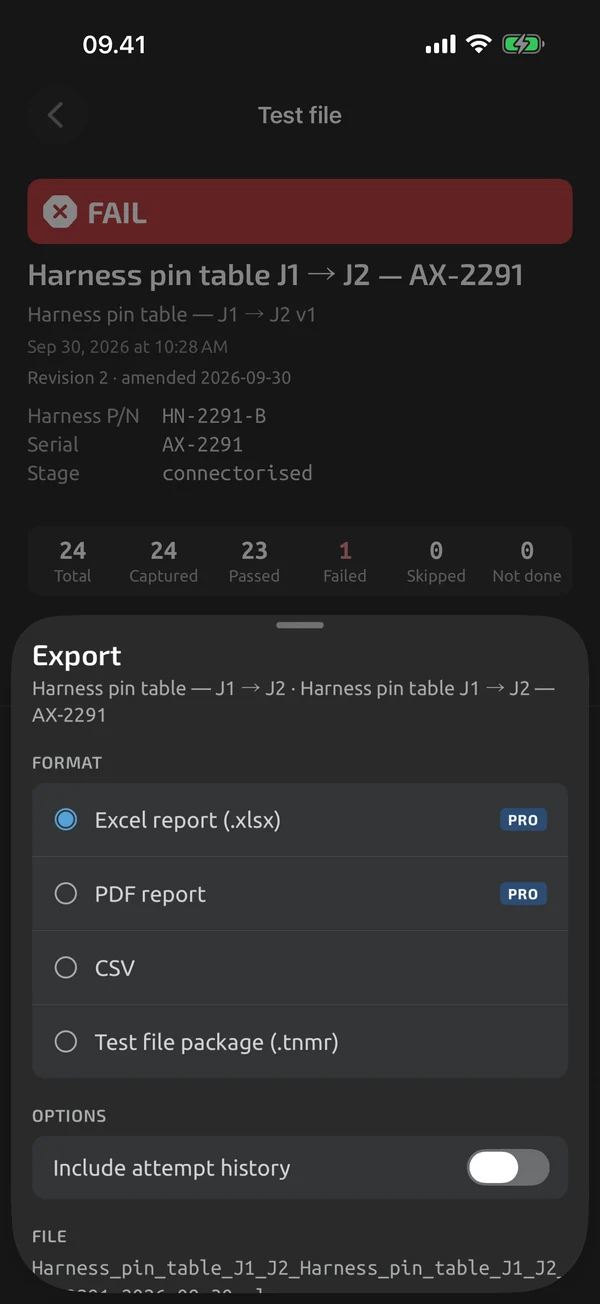
Export a test file or a log session as an Excel workbook. Excel export is part of Pro; Pro is an in-app upgrade, see Pricing.
iOS and Android, beta this winter.
Test report workbook
The Report sheet has a header block, a grouped step table and a summary footer. The other sheets are Attempts, Readings and Info. Numbers are real numeric cells, with a number format that matches the stored decimals, so 0.30 shows as 0.30 and sums work. OL and UL are text.
PASS and FAIL you can read
PASS and FAIL cells are filled green or red and also carry the text PASS or FAIL.
Log workbook
A recorded session exports to a Log sheet with a header block and one row per capture or sample. Timestamps are real Excel dates. A Stats sheet shows min, max, average and n per function, and an Info sheet completes it. Sessions above 1,048,000 rows split across Log, Log (2) and further sheets. For how sessions are recorded, see Time-series recording.
Your header
Company name, technician name, an optional certification or licence number and an address line go in the workbook header.
Opens without repair prompts
The file opens without repair prompts in Excel, Numbers, LibreOffice and Google Sheets. It is generated on the device with no network. A file such as Connector_J3_AX-2291_2026-06-07.xlsx goes to the share sheet.
What it does and doesn't do (yet)
| What it does | Plan |
|---|---|
| An Excel test report with real numeric cells and PASS and FAIL cells. | Pro |
| Export a log session to Excel with real timestamps and a statistics sheet. | Pro |
| Company name, technician and logo in the headers of Excel and PDF reports. | Pro |
Pro is an in-app upgrade. See what is Free and what is Pro.
Not yet, or not planned
- No live push to Google Sheets or webhooks.
- Custom export columns are coming.
Questions
Are the values real numbers in Excel?
Yes. Numbers are real numeric cells, and OL and UL are text.
Which apps open the file?
Excel, Numbers, LibreOffice and Google Sheets, without repair prompts.
Can I choose the columns?
Not yet. Choosing and renaming columns is coming.
Coming to iPhone and Android.
iOS and Android, beta this winter.


Questions or a meter to suggest? Mail support@testnmeasure.app.
No ad networks, no sign-up.