Guide · updated 31 October 2026
How to log multimeter readings to Excel or CSV
Instead of a stopwatch and a notepad: connect a Bluetooth multimeter, press Record, and your phone logs a reading every second while you do something else. When you stop, export the session as CSV or an Excel workbook and open it on your Mac or PC. Recording and both exports are free, with no account.
iOS and Android, beta this winter.
What you need
- An OWON OW18B or a ZOYI ZT-5B, the Bluetooth meters the app reads live today, checked on hardware. The ZT-5B switches itself off after 15 minutes unless you cancel its auto power off.
- TestNMeasure on your phone. No account and no sign-in are needed.
- Any spreadsheet on your computer: Excel, Numbers, LibreOffice or Google Sheets.
Step by step
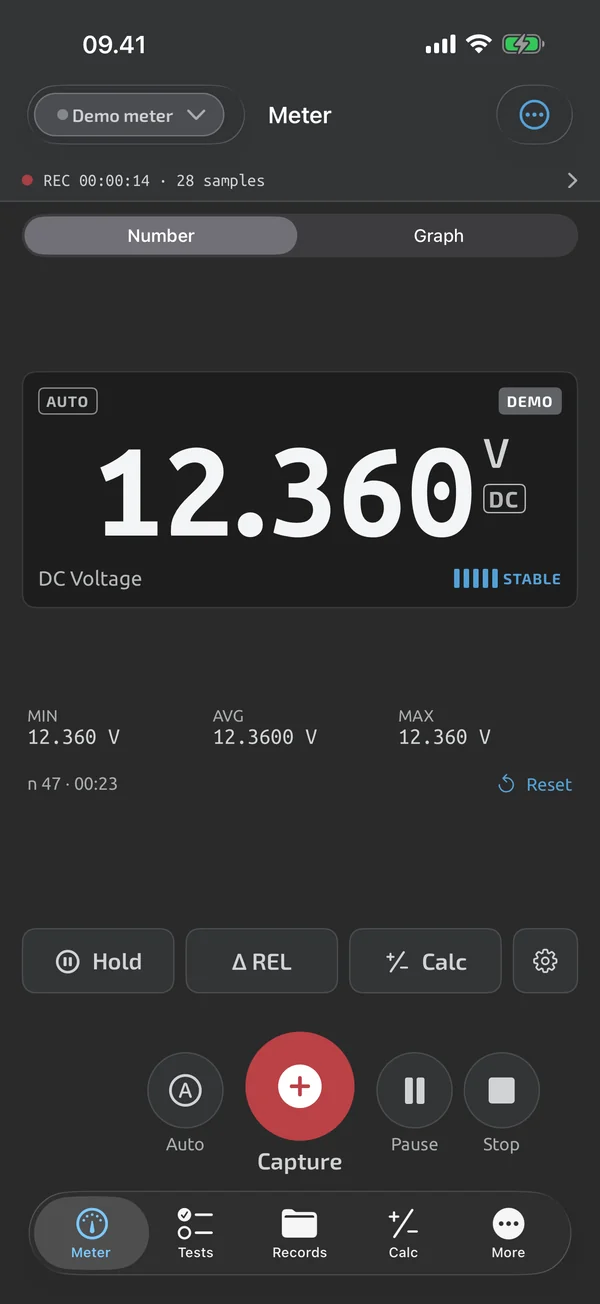
- Switch on the meter's Bluetooth, open the app and tap the meter in the list. Live readings start, and your phone becomes the meter's remote display.
- Set the meter to what you want to log, for example DC volts.
- Press Record and pick an interval. To log readings every second, pick 1 s.
- If you want it to stop by itself, set an auto-stop after a duration or a number of samples.
- Lock the screen or use other apps. Recording keeps going, and a red pill shows the elapsed time and the sample count.
- Press Stop. The session is saved in Records with a full graph you can pan and zoom.
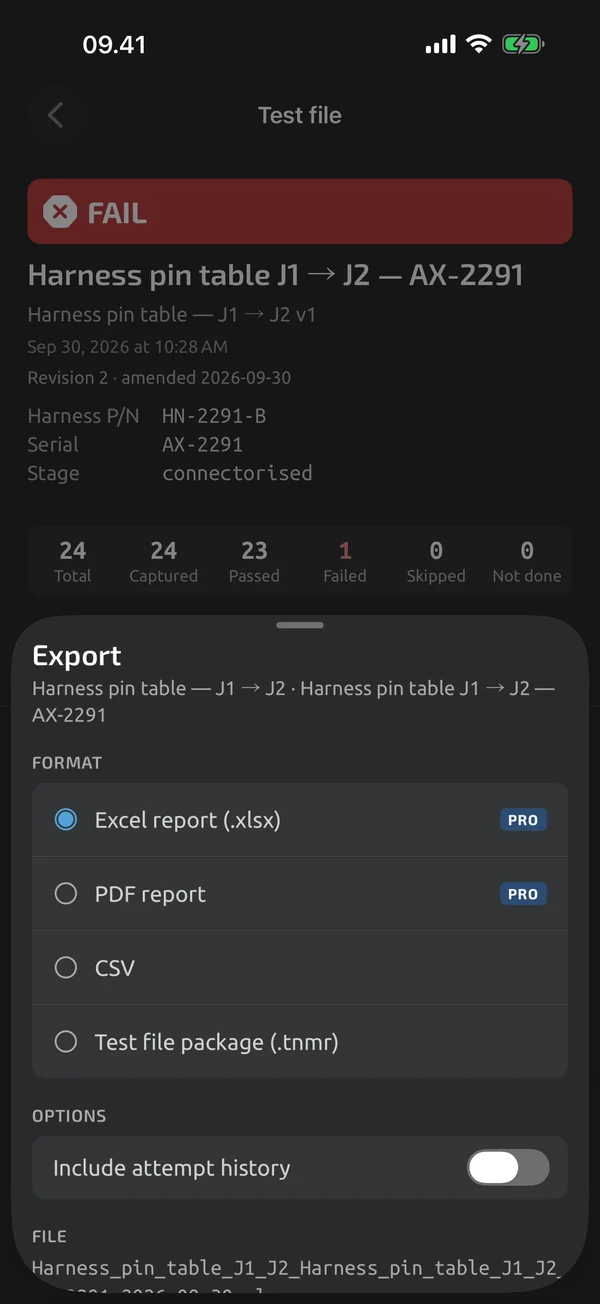
- Open the session, tap Export and pick CSV or Excel (.xlsx). The file goes to the share sheet.
Pick an interval
Each tick stores the latest reading, not an average. A session holds up to 1,000,000 samples, so at 1 s it can run for more than 11 days.
| Interval | Samples per hour | Good for |
|---|---|---|
| Every reading | as fast as the meter sends | fast changes over a few minutes |
| 0.5 s | 7,200 | quick tests, motor or pump start-up |
| 1 s | 3,600 | most logging, "a reading every second" |
| 5 s or 10 s | 720 or 360 | runs of a few hours, battery tests |
| 60 s | 60 | overnight and multi-day logs |
CSV or Excel?
CSV has one row per sample, with the time in UTC and in your local time, the value as recorded, never rounded, the unit, the function and the meter's flags. It is UTF-8 with a BOM, so Excel shows Ω and µ. OL and UL are written as text. In the export sheet you can switch to semicolons with comma decimals for EU Excel, or to tab-delimited.
Excel (.xlsx) has a Log sheet with real timestamps as Excel dates, a Stats sheet with the minimum, maximum, average and count per function, and an Info sheet. Pick it when you want to graph or sum straight away.
To graph voltage over time in Excel or Numbers, select the time column and the value column and insert a scatter chart with lines.
Get the file onto your Mac or PC
The export ends in your phone's share sheet. On an iPhone, AirDrop puts it in the Downloads folder on your Mac. You can also mail it to yourself, save it to Files or put it in Drive. The file is named after the session and its start date, so a folder of logs stays in order.
What the app does here, and what it doesn't
| What it does | Plan |
|---|---|
| Log sessions hold captures and time-series recordings, and recording continues with the screen locked. | Free |
| Review a session as a full graph with pan and zoom, statistics and its captures. | Free |
| Export log sessions and test files as CSV, free. | Free |
| Export a log session to Excel with real timestamps and a statistics sheet. | Free |
| Every export ends in the system share sheet, with clear file names. | Free |
Not yet, or not planned
- No live push to Google Sheets or webhooks.
- Can't download the meter's own memory yet.
- One open recording per device; up to 1,000,000 samples per session.
Questions
Can I log multimeter readings every second?
Yes. Pick 1 s when you press Record. You can also log every reading the meter sends, or every 0.5, 5, 10 or 60 seconds.
Does it keep logging with the screen locked?
Yes. Recording continues with the screen locked or the app in the background. Samples are written every second, so a crash loses at most one second.
Can the readings go straight into Excel while I measure?
No. The app records on your phone, and you export the session as a file. There is no live push to Google Sheets or webhooks.
Is the export free?
Yes. CSV and Excel export are free for every session, with no account, and they keep working without Cloud.
Coming to iPhone and Android.
iOS and Android, beta this winter.


Questions or a meter to suggest? Mail support@testnmeasure.app.
No ad networks, no sign-up.