Calculator Pro
Custom formulas and a live derived panel
Write a formula once, bind its inputs, and use it again. Custom formulas and the live derived panel are part of Pro; Pro is an in-app upgrade, see Pricing.
iOS and Android, beta this winter.
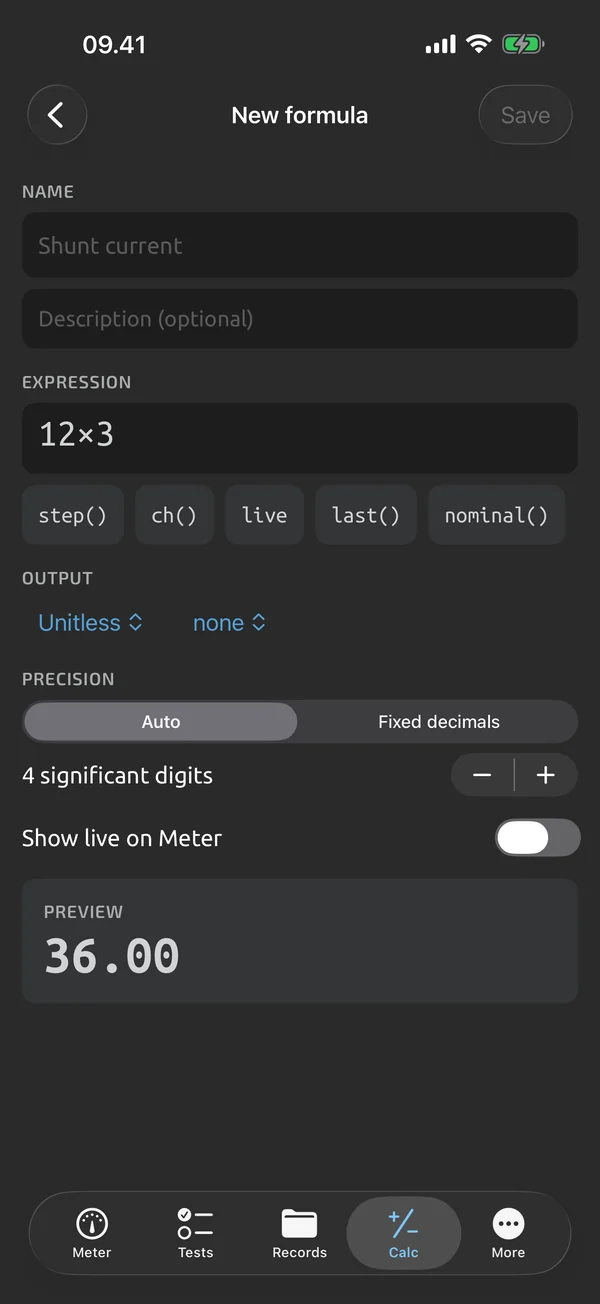
Named formulas
A formula has a name, an expression, named inputs, an output unit and prefix, and a precision. Each input is bound to one of these:
- a manual value
- the live reading
- a history capture
- a constant
- inside a template, a step or channel
Your formula library
Saved formulas go into a personal library. In the Calc tab they appear as a new preset, and templates can use them too. See Calcs in templates.
The live derived panel
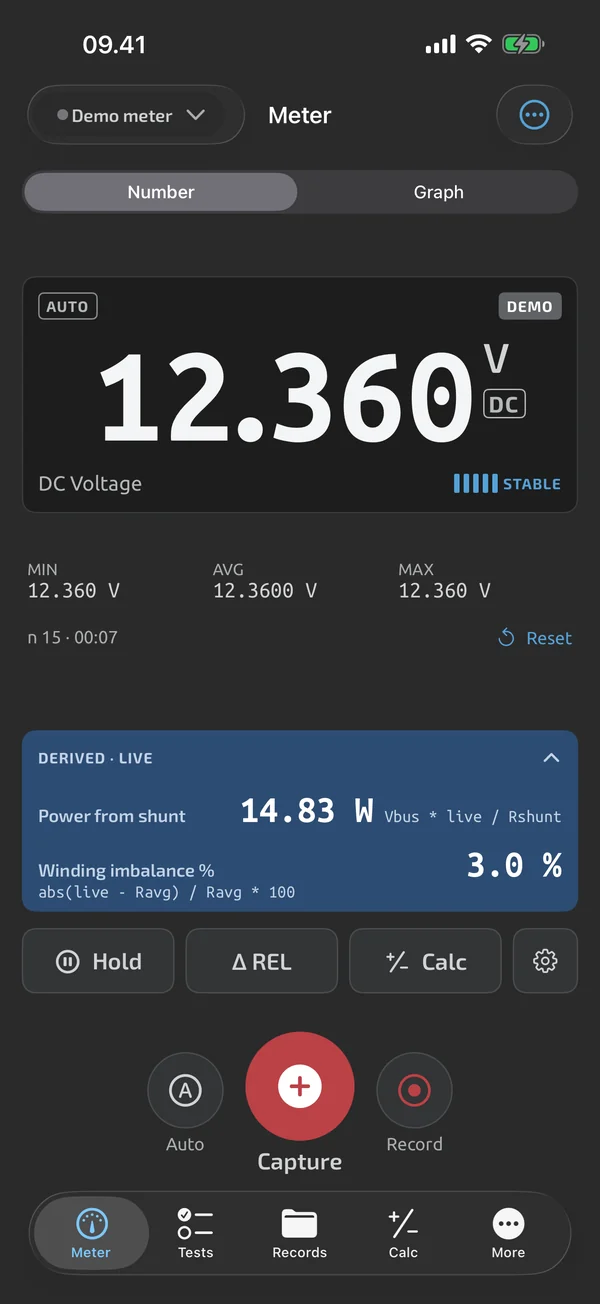
A collapsible panel under the readout shows up to 3 live calculations, for example P = live × 12 V. It recomputes on every reading. On the meter screen the panel uses formulas from your library. During a template run it shows the template's live calculations.
What it does and doesn't do (yet)
| What it does | Plan |
|---|---|
| Save your own formulas with named inputs and use them in the Calc tab. | Pro |
| A panel under the readout shows up to 3 formulas, recomputed on every reading. | Pro |
Pro is an in-app upgrade. See what is Free and what is Pro.
Not yet, or not planned
- Formulas reference the current run only; no cross-run analytics.
- Live derived values are in the apps, not on the web.
Questions
What can a formula reference?
Each input can be a manual value, the live reading, a history capture or a constant. Inside templates it can also be a step or channel. References stay within the current run.
How many live formulas under the readout?
Up to 3.
Coming to iPhone and Android.
iOS and Android, beta this winter.


Questions or a meter to suggest? Mail support@testnmeasure.app.
No ad networks, no sign-up.