Guide · updated 3 November 2026 Free Pro
Aircraft Battery Voltage Check: Open-Circuit Readings by Charge State
A multimeter on the terminals of a rested battery gives its open-circuit voltage. For a sealed lead-acid battery that voltage tells you roughly how charged it is. It does not tell you how healthy the battery is. This guide gives the example values, the one check a voltage reading cannot replace, and a step table you can build or follow on paper.
A test file is your record, not a certification. The battery manual wins over everything here.
iOS and Android, beta this winter.
Open-circuit voltage by charge state
The FAA advisory circular AC 43.13-1B gives open-circuit voltages for sealed lead-acid batteries at 70 °F (Table 11-1, para 11-17). The circular is guidance, not a regulation. These values are example; set your own limits.
| Charge state | 12 V battery | 24 V battery |
|---|---|---|
| 100 % | 12.9 V | 25.8 V |
| 75 % | 12.7 V | 25.4 V |
| 50 % | 12.4 V | 24.8 V |
| 25 % | 12.0 V | 24.0 V |
Measure after the battery has rested and is disconnected. The table is for sealed lead-acid batteries only. Nickel-cadmium and lithium batteries need the manufacturer's limits.
A voltage reading is not a load test
The circular says it plainly: only a load check will determine overall battery condition (para 11-17 NOTE). A battery can show a good open-circuit voltage and still fail under load. Do the load check from the battery manual, and enter its result as a typed value or a Pass or Fail step. A multimeter reading is not a capacity test either.
Bus drop
The voltage drop from the source to the bus should not exceed 2 % of the regulated voltage, with the battery discharging at the 5-minute rate (AC 43.13-1B para 11-66 b). On a 28 V system, 2 % is 0.56 V. That is arithmetic, not a figure from the circular. You need a defined load for this check, and the load is your shop's to define.
In a template, the step measures the battery post and the bus under load, and a calculated step takes the difference Pro. Set the maximum as your limit.
An example step table
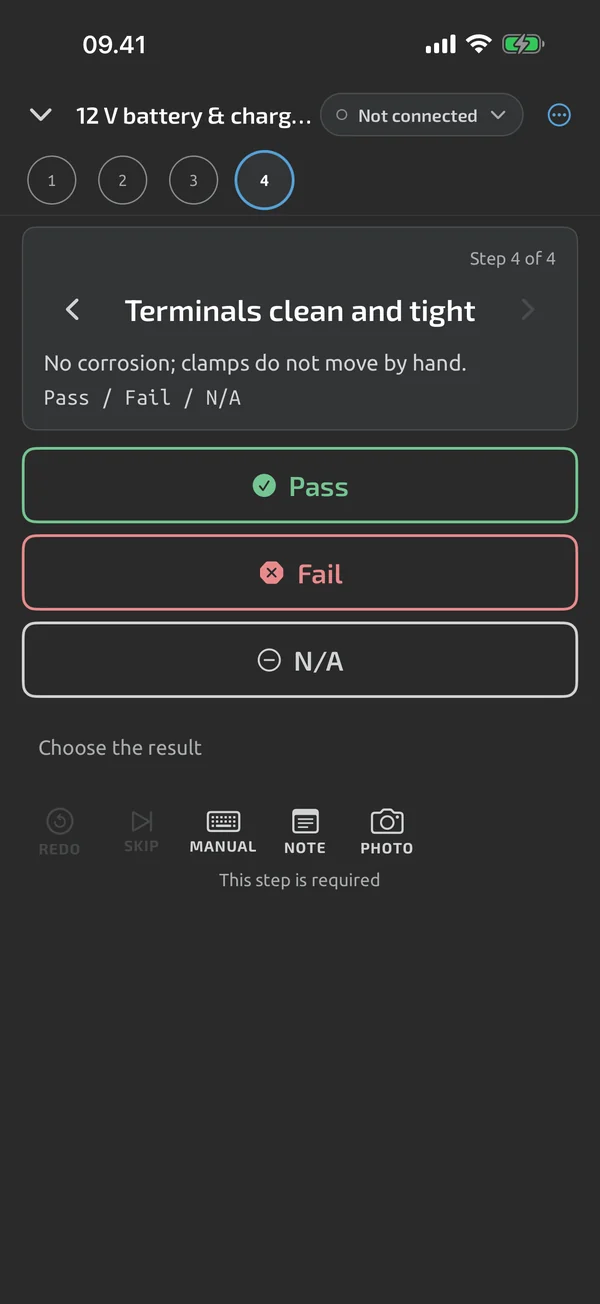
This table is an example you can build with the template builder Pro, or follow on paper. It is not an included starter template.
| # | Step | Kind | Example limit |
|---|---|---|---|
| 1 | Battery type, nominal voltage (12 or 24 V) and temperature | value, typed | none |
| 2 | No corrosion, vents clear, terminals tight and clean | check | Pass, Fail or N/A |
| 3 | Open-circuit voltage across the terminals, rested | measure, V DC | 12 V: min 12.4 V. 24 V: min 24.8 V (the 50 % row) |
| 4 | Load check done per the battery manual | check | Pass, Fail or N/A |
| 5 | Capacity from the battery tester | value, typed | per your manual |
| 6 | Battery post to bus, under load | measure, V DC | max 0.56 V on 28 V (2 %) |
| 7 | Battery installed, retention and vent hoses checked | check | Pass, Fail or N/A |
The 50 % row is only a suggestion for a pass line. Choose your own from the battery manual. Limits in the app are inclusive: a minimum of 12.4 V passes at exactly 12.4 V Pro.
Add your own run fields for the tail number, the battery part number and serial number, and the task card. Typed values such as the capacity are marked manual in the report. Export the run as a PDF or Excel file and attach it to the work order.
How this differs from the starter template
The included starter ST-3 checks a 12 V lead-acid starter battery: resting voltage, cranking voltage, charging voltage and a terminal check. It is built for a vehicle and its limits are not aircraft limits. See starter templates.
One reading, or a curve
For a single reading, quick capture saves the value with one tap. For voltage over time under a load, see how to make a battery discharge curve.
For the wider picture of aircraft checks and records, see aircraft electrical test records.
What the app does here, and what it doesn't
| What it does | Plan |
|---|---|
| One tap saves the current reading, with an Undo. | Free |
| Start a run with a title and your own metadata fields, such as a serial number that counts up. | Free |
| Type a value, or give a Pass, Fail or N/A verdict, when a step needs it. | Free |
| Set limits per step: range, min, max, equals, tolerance or expected open. Bounds are inclusive. | Pro |
| Build test templates with steps, groups, limits and run metadata fields. | Pro |
| Formulas inside templates: derived steps and summary values, computed in the run. | Pro |
| A PDF test report with header, result, step table, notes, photos and a signature block. | Free |
Pro is a one-time purchase and Cloud is a subscription, both in the app. See what is Free, Pro and Cloud.
Not yet, or not planned
- A test file is your record, not a certification.
- Starter templates are examples (beta-v1, revisable); you set the limits for your equipment.
- Reads what your meter measures; it doesn't change the meter's accuracy or ranges.
Questions
Does a good open-circuit voltage mean the battery is good?
No. Open-circuit voltage shows charge state. Only a load check determines overall battery condition, and the capacity comes from a battery tester or the battery manual.
What about nickel-cadmium or lithium aircraft batteries?
Use the manufacturer's limits. The values in this guide are for sealed lead-acid batteries only.
Is 0.56 V a limit from the FAA?
No. The circular gives 2 % of the regulated voltage. 0.56 V is 2 % of 28 V, worked out here. Your manual may give a different figure.
Coming to iPhone and Android.
iOS and Android, beta this winter.


Questions or a meter to suggest? Mail support@testnmeasure.app.
No ad networks, no sign-up.